클릭하여 전체 이미지 보기 · 원본 사례 참조용
사례 출처
@AutoIntelliMode ↗ · 사례 #140
원본 사례 내용을 유지합니다. 생성 결과는 모델 버전, 참조 이미지 및 매개변수에 따라 달라질 수 있으며, 본 사이트에서 개별 검증을 진행하지 않아 동일한 결과의 재현을 보장하지 않습니다.
포스터 및 타이포그래피 / PROMPT #140
테마 포스터 레이아웃 디자인 · #140
먼저 이미지를 확인한 뒤 원본 프롬프트를 복사하세요. 치환 문구가 있는 경우 아래에서 원하는 내용으로 변경할 수 있습니다.
01 / 나만의 버전 설정
02 / 전체 프롬프트 · 원문
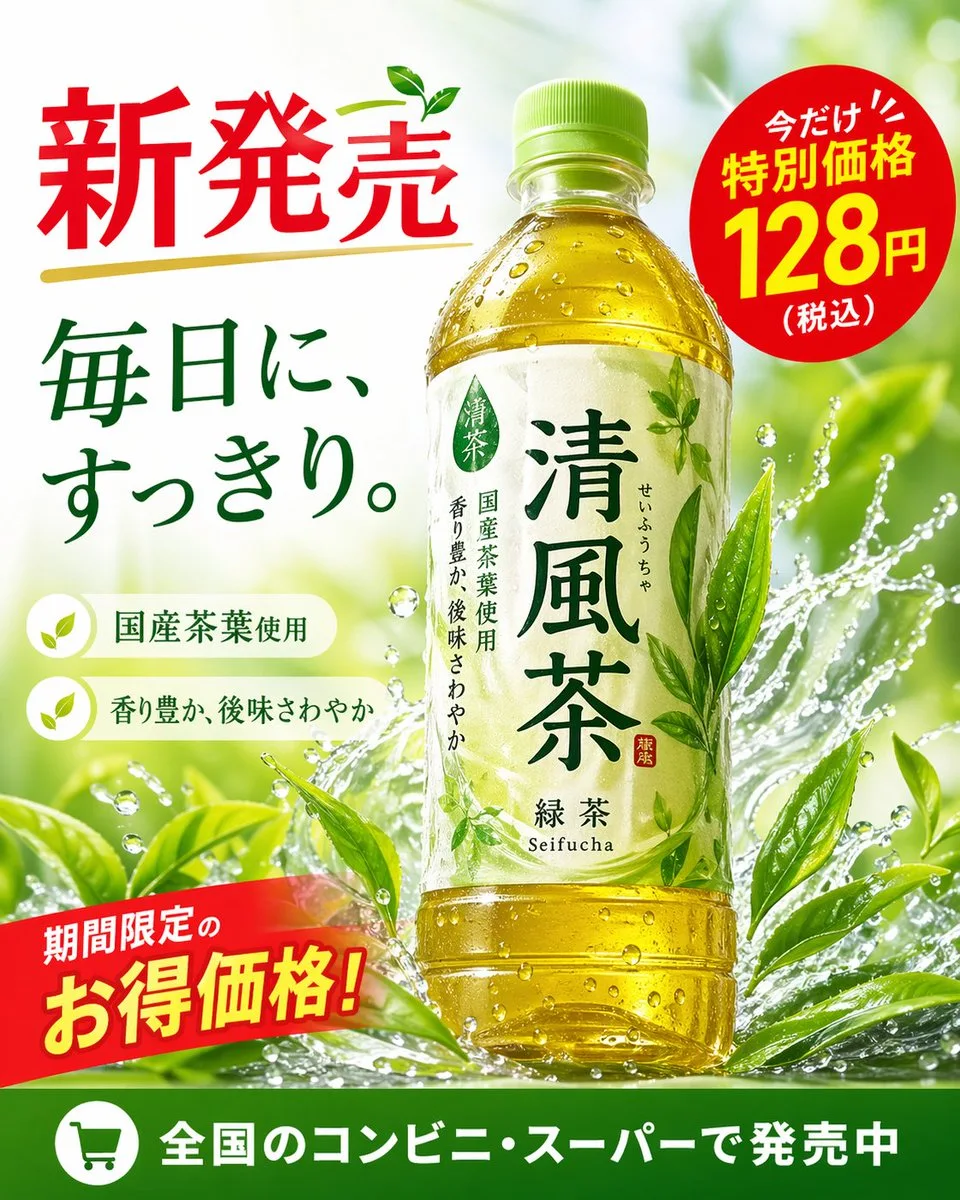
{"type": "promotional advertisement poster for a bottled green tea beverage", "product": {"type": "clear plastic PET bottle filled with yellow-green tea", "label": "white label with green typography, featuring the product name '{argument name=\"product name\" default=\"清風茶\"}', subtitle '緑茶 Seifucha', and vertical text '国産茶葉使用' and '香り豊か、後味さわやか'"}, "background": "bright, fresh, sunlit outdoor atmosphere with dynamic water splashes wrapping around the bottle and vibrant green tea leaves", "layout": {"sections": [{"title": "headline", "position": "top-left", "text": "{argument name=\"main headline\" default=\"新発売\"}", "style": "large red text with a gold underline and a small green leaf accent"}, {"title": "catchphrase", "position": "mid-left", "text": "{argument name=\"catchphrase\" default=\"毎日に、すっきり。\"}", "style": "dark green text"}, {"title": "features", "position": "lower-left", "count": 2, "labels": ["国産茶葉使用", "香り豊か、後味さわやか"], "style": "white pill-shaped banners with green leaf icons"}, {"title": "price_badge", "position": "top-right", "text": "今だけ!! 特別価格 {argument name=\"price\" default=\"128円\"} (税込)", "style": "red circular sticker with white and yellow text"}, {"title": "promo_banner", "position": "bottom-left", "text": "期間限定のお得価格!", "style": "angled red ribbon with yellow and white text"}, {"title": "footer", "position": "bottom-edge", "text": "{argument name=\"footer text\" default=\"全国のコンビニ・スーパーで発売中\"}", "style": "solid green horizontal bar with a white shopping cart icon"}]}}사용하시는 이미지 생성 도구에 붙여넣어 사용하세요. 본 사이트는 프롬프트 탐색 및 편집 기능만 제공하며 직접 이미지를 생성하지 않습니다.
03 / 생성 전 체크리스트
- 치환 문구를 구체적인 내용으로 바꾸고, 참조 이미지가 필요한지 확인하세요.
- 텍스트가 포함된 경우 원하는 문구를 명확히 지정하고, 생성 후 글자를 꼼꼼히 확인하세요.
- 효과를 쉽게 비교할 수 있도록 피사체, 조명, 구도 중 한 번에 하나씩만 수정하세요.
관련 영감 더 둘러보기
더 많은 포스터 및 타이포그래피 사례