Click to view full image · Reference sample
Source
@chi_vc_ ↗ · Case #130
Original prompt preserved. Results vary depending on model version, reference image, and parameters; identical outputs are not guaranteed.
Brand & Logos / PROMPT #130
UI Interaction Design · #130
Review the image, then copy the prompt. If placeholders are present, customize them below.
01 / Customize your version
02 / Full Prompt · Original
{
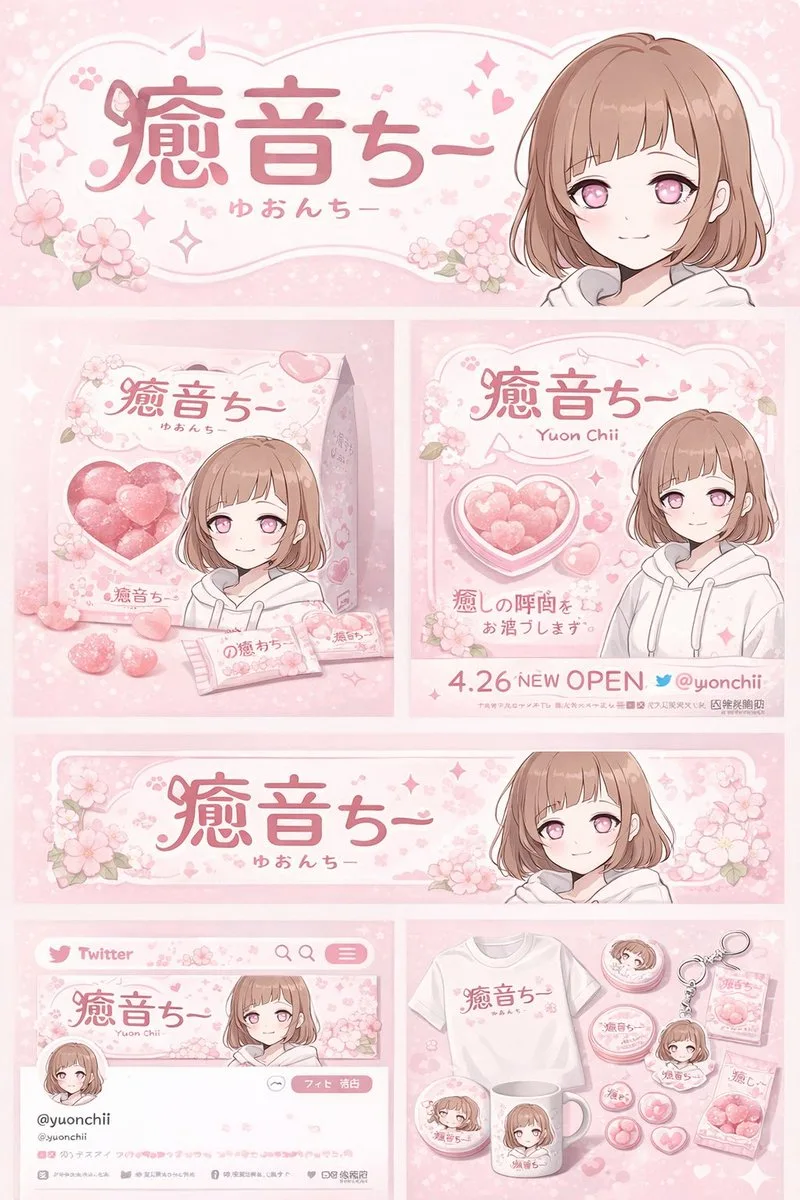
  "type": "brand identity and merchandise design board",
  "theme": {
    "color_palette": "{argument name=\"theme color\" default=\"pastel pink\"} and white",
    "motif": "{argument name=\"motif\" default=\"cherry blossoms\"} and pink hearts"
  },
  "character": {
    "description": "anime girl with short brown bob hair, pink eyes, wearing a white hoodie, gentle smile"
  },
  "branding": {
    "main_logo": "{argument name=\"character name\" default=\"癒音ちー\"}",
    "sub_logo": "{argument name=\"character subtext\" default=\"ゆおんちー\"}"
  },
  "layout": {
    "sections": [
      {
        "type": "header banner",
        "position": "top",
        "elements": ["large main logo", "sub logo", "cherry blossom graphics", "character portrait on the right"]
      },
      {
        "type": "product packaging",
        "position": "middle left",
        "elements": ["1 square box with heart-shaped transparent window showing pink heart candies", "character illustration on box", "2 individual candy wrappers", "5 scattered heart candies"]
      },
      {
        "type": "promotional poster",
        "position": "middle right",
        "elements": ["character portrait", "heart-shaped candy bowl", "main logo", "text '4.26 NEW OPEN'", "text '{argument name=\"social handle\" default=\"@yuonchii\"}'"]
      },
      {
        "type": "horizontal web banner",
        "position": "lower middle",
        "elements": ["main logo", "cherry blossoms", "character portrait on the right"]
      },
      {
        "type": "social media profile mockup",
        "position": "bottom left",
        "elements": ["header image with logo", "1 circular profile picture", "handle '{argument name=\"social handle\" default=\"@yuonchii\"}'", "1 follow button", "mock bio text"]
      },
      {
        "type": "merchandise collection",
        "position": "bottom right",
        "count": 9,
        "items": ["1 white t-shirt with logo", "1 white mug with character", "4 round pin badges", "1 acrylic keychain", "2 candy packets"]
      }
    ]
  }
}
Copy into your preferred AI image generator. Prompt Atelier provides prompt browsing and editing, but does not generate images directly.
03 / Pre-generation checklist
- Replace placeholders with specific details, and check whether reference images are needed.
- Specify exact wording for text elements, and proofread carefully after generation.
- Adjust only one element at a time—subject, lighting, or composition—to compare results easily.
Explore related inspiration
More in Brand & Logos