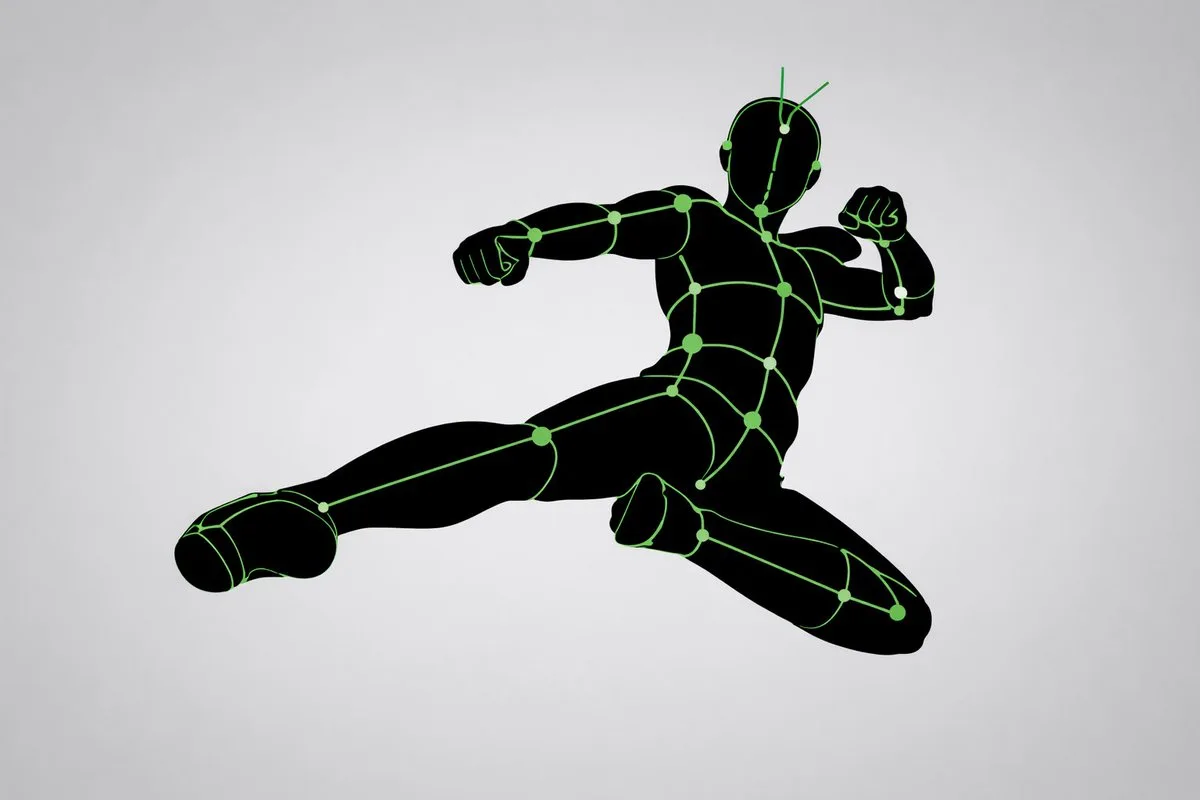
클릭하여 전체 이미지 보기 · 원본 사례 참조용
사례 출처
@WOZ1Tx2JZ3kCeBj ↗ · 사례 #78
원본 사례 내용을 유지합니다. 생성 결과는 모델 버전, 참조 이미지 및 매개변수에 따라 달라질 수 있으며, 본 사이트에서 개별 검증을 진행하지 않아 동일한 결과의 재현을 보장하지 않습니다.
크리에이티브 활용 / PROMPT #78
이미지 생성 예시 아트 · #78
먼저 이미지를 확인한 뒤 원본 프롬프트를 복사하세요. 치환 문구가 있는 경우 아래에서 원하는 내용으로 변경할 수 있습니다.
01 / 나만의 버전 설정
02 / 전체 프롬프트 · 원문
[CORE TASK]
Transform the provided input image into a pose-and-light analysis sheet.

This is NOT a finished character illustration.
This is NOT a clothing sheet.
This is NOT a beauty-preserving redraw.

This is a white-line rough mannequin conversion.

[PRIMARY GOAL]
Extract and visualize only:
- pose structure
- body balance
- camera angle
- body line flow
- inferred light source placement
- illuminated areas and light intensity

[INPUT ROLE]
Use the provided image as the strict anchor for:
- pose
- camera angle
- body tilt
- weight distribution
- approximate lighting situation

Do NOT preserve:
- face rendering
- hairstyle rendering
- clothing detail
- accessories
- weapon detail
- background architecture
- character identity
- emotional expression

[FIGURE CONVERSION]
single rough mannequin-like human figure
white body contour lines
white internal construction lines
simple mannequin head
no face
no eyes
no mouth
no eyelashes
no personality
no individual identity

human figure should look like:
- rough pose mannequin
- anatomy proxy
- line-based body guide
- structural sketch
- white-line rough dummy

keep:
- pose readability
- silhouette flow
- head tilt
- torso direction
- pelvis direction
- limb placement

[BACKGROUND]
pure black background
negative-style dark field
no scenery
no props
no architecture
no environmental storytelling

[LINE STYLE]
rough white line drawing
clean but sketch-like
construction-line feeling
anatomy guide lines visible
joint flow visible
body contour emphasized
no polished illustration finish

[LIGHT ESTIMATION]
predict the likely light source positions from the input image
visualize the light sources and illuminated areas using green glow only

use green light intensity with variation:
- strongest green where the light directly hits
- medium green for wrap light
- soft green for reflected or fading light

mark the estimated light sources with labels and arrows such as:
- Main Light
- Rim Light
- Fill Light
- Floor Bounce
- Back Light
only if appropriate

IMPORTANT:
do not invent random lights
infer lighting from the original input image
if the lighting is ambiguous, keep the annotations simple and plausible

[GREEN LIGHT VISUALIZATION]
show green glow on:
- head / skull plane
- neck
- shoulders
- chest plane
- ribcage direction
- pelvis edge
- thigh planes
- knee contact points
- floor contact bounce if applicable

use green light not as decoration,
but as lighting analysis information

[POSE PRIORITY]
1. preserve pose structure
2. preserve camera angle
3. preserve body balance
4. preserve head-torso relationship
5. visualize likely light direction
6. show illuminated areas with readable green intensity variation

[NEGATIVE]
finished person,
cute girl,
detailed face,
hair rendering,
clothing rendering,
weapon emphasis,
beautiful anatomy
사용하시는 이미지 생성 도구에 붙여넣어 사용하세요. 본 사이트는 프롬프트 탐색 및 편집 기능만 제공하며 직접 이미지를 생성하지 않습니다.
03 / 생성 전 체크리스트
- 치환 문구를 구체적인 내용으로 바꾸고, 참조 이미지가 필요한지 확인하세요.
- 텍스트가 포함된 경우 원하는 문구를 명확히 지정하고, 생성 후 글자를 꼼꼼히 확인하세요.
- 효과를 쉽게 비교할 수 있도록 피사체, 조명, 구도 중 한 번에 하나씩만 수정하세요.
관련 영감 더 둘러보기
더 많은 크리에이티브 활용 사례