클릭하여 전체 이미지 보기 · 원본 사례 참조용
사례 출처
@nicdunz ↗ · 사례 #53
원본 사례 내용을 유지합니다. 생성 결과는 모델 버전, 참조 이미지 및 매개변수에 따라 달라질 수 있으며, 본 사이트에서 개별 검증을 진행하지 않아 동일한 결과의 재현을 보장하지 않습니다.
실사 사진 / PROMPT #53
인테리어 공간 렌더링
먼저 이미지를 확인한 뒤 원본 프롬프트를 복사하세요. 치환 문구가 있는 경우 아래에서 원하는 내용으로 변경할 수 있습니다.
01 / 나만의 버전 설정
이 사례에는 명시적인 치환 문구가 없습니다. 복사 후 피사체, 색상, 텍스트, 비율을 직접 수정해 보세요.
02 / 전체 프롬프트 · 원문
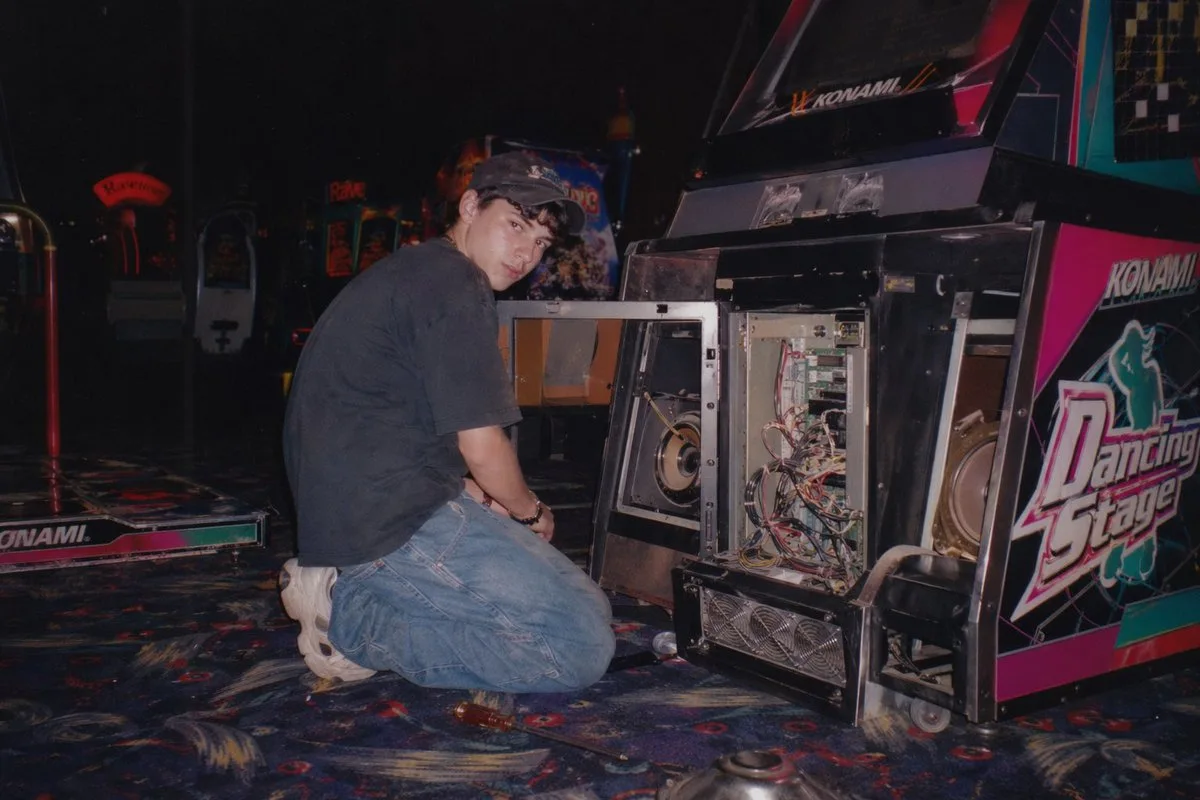
A vintage, late 90s amateur flash photograph of a young man repairing an arcade machine. He is kneeling on a dark, patterned arcade carpet, looking back over his shoulder directly at the camera with a neutral expression. He wears a dark short-sleeved t-shirt, baggy blue jeans, chunky white sneakers, and a dark baseball cap. The lower front panel of the arcade cabinet is wide open, exposing its complex internal electronics, including a tangle of wires, green circuit boards, a large speaker, and metal cooling fans at the base. The side of the cabinet features vibrant pink, black, and white graphics with the text "{argument name="arcade game title" default="Dancing Stage"}" and the brand "{argument name="arcade brand" default="KONAMI"}". The setting is a dimly lit arcade interior with other glowing game cabinets visible in the blurred background. A screwdriver lies on the carpet near the man's knee. The image features harsh direct flash lighting, a slightly grainy film texture, deep shadows, and a nostalgic Y2K aesthetic.사용하시는 이미지 생성 도구에 붙여넣어 사용하세요. 본 사이트는 프롬프트 탐색 및 편집 기능만 제공하며 직접 이미지를 생성하지 않습니다.
03 / 생성 전 체크리스트
- 치환 문구를 구체적인 내용으로 바꾸고, 참조 이미지가 필요한지 확인하세요.
- 텍스트가 포함된 경우 원하는 문구를 명확히 지정하고, 생성 후 글자를 꼼꼼히 확인하세요.
- 효과를 쉽게 비교할 수 있도록 피사체, 조명, 구도 중 한 번에 하나씩만 수정하세요.
관련 영감 더 둘러보기
더 많은 실사 사진 사례