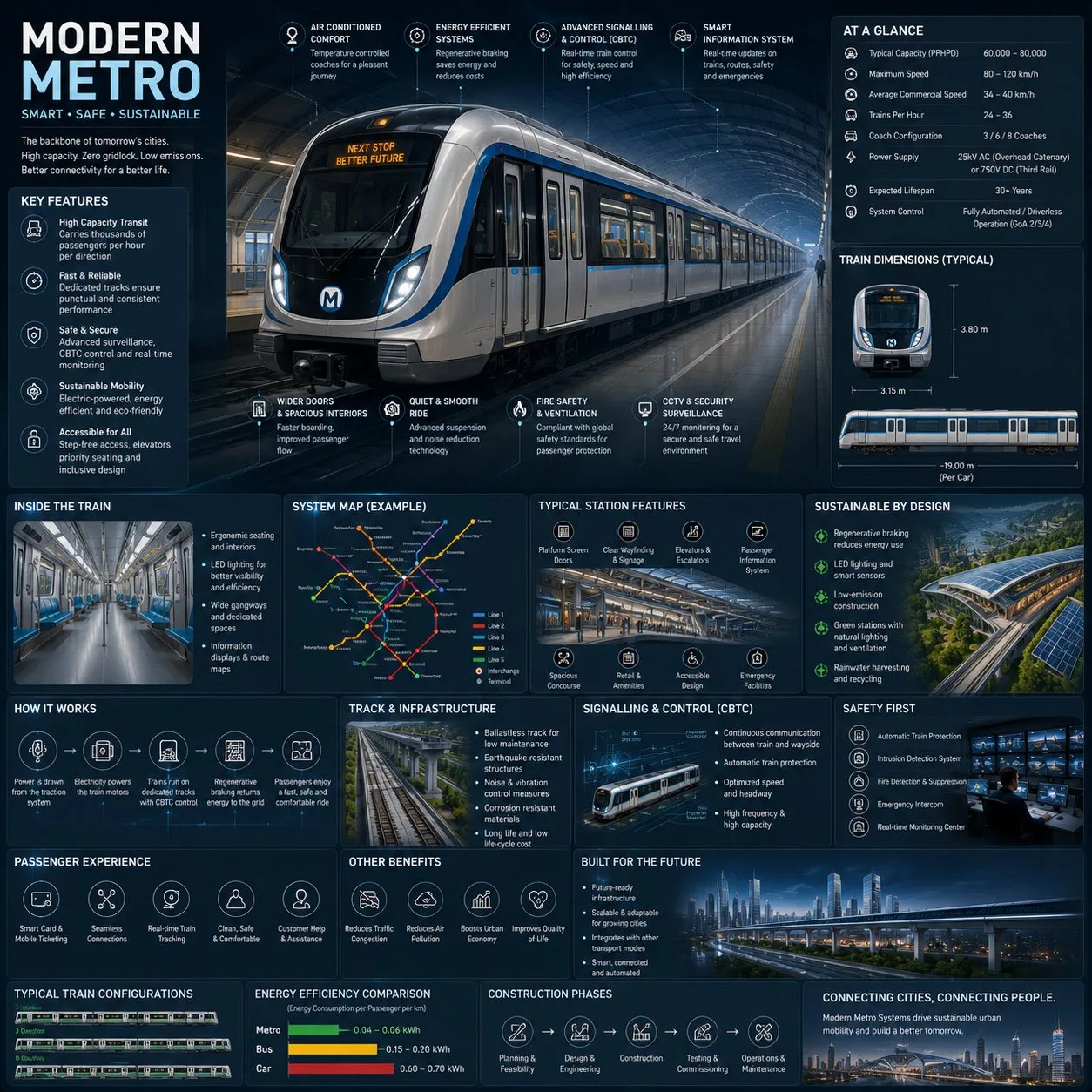
클릭하여 전체 이미지 보기 · 원본 사례 참조용
사례 출처
@j_smeaton99 ↗ · 사례 #447
원본 사례 내용을 유지합니다. 생성 결과는 모델 버전, 참조 이미지 및 매개변수에 따라 달라질 수 있으며, 본 사이트에서 개별 검증을 진행하지 않아 동일한 결과의 재현을 보장하지 않습니다.
차트 및 인포그래픽 / PROMPT #447
현대 지하철 엔지니어링 인포그래픽
먼저 이미지를 확인한 뒤 원본 프롬프트를 복사하세요. 치환 문구가 있는 경우 아래에서 원하는 내용으로 변경할 수 있습니다.
01 / 나만의 버전 설정
이 사례에는 명시적인 치환 문구가 없습니다. 복사 후 피사체, 색상, 텍스트, 비율을 직접 수정해 보세요.
02 / 전체 프롬프트 · 원문
Create a premium square “reference-style urban transportation infographic” centered around a futuristic modern metro system called the {METRO_NAME}, designed as a beautifully curated transit-engineering handbook page rather than a public transport advertisement.

The composition should feel like a modern visual encyclopedia mixed with an elite railway infrastructure field guide and high-end editorial infographic system.

Visual Direction:

• 1:1 square composition
• Dark premium urban-tech background with subtle railway schematics, metro maps, and futuristic blueprint overlays
• Elegant palette using deep navy, matte black, steel gray, electric blue accents, and soft white lighting
• Refined editorial typography hierarchy with modern transportation aesthetics
• Rounded modular information cards with clean spacing
• Gentle realistic reflections and premium HUD-style dividers
• Minimal transit-system iconography
• Extremely detailed central metro train render viewed in dramatic three-quarter perspective inside a futuristic underground station
• Thin precision annotation lines pointing toward transportation systems and smart engineering features
• Clean, organized “knowledge-first” layout with high information density but breathable spacing

Main Subject Presentation:

A stunning ultra-detailed realistic render of the {METRO_NAME} modern metro train placed at the center, featuring sleek aerodynamic train design, glowing destination displays, realistic stainless-steel textures, illuminated station lighting, smart glass windows, premium urban-environment realism, and futuristic rail infrastructure.

Surround the metro with scientific and engineering callouts explaining:

• regenerative braking system
• smart signalling & CBTC control
• electric propulsion system
• passenger information systems
• safety and surveillance technology
• platform screen doors
• energy-efficient design
• smart ventilation systems
• accessibility features
• track and infrastructure engineering

Include modular infographic sections such as:

• Metro System Overview
• Technical Specifications
• Train Dimensions & Layout
• Passenger Capacity & Flow
• Smart Control Systems
• Sustainability Features
• Track & Infrastructure Engineering
• Signalling & Automation
• Station Design & Facilities
• Safety & Emergency Systems
• Passenger Experience Features
• Urban Connectivity & Network Map
• Energy Efficiency Comparison
• Construction & Expansion Timeline
• “Top 5 Smart Innovations” section
• Built for Future Smart Cities

Add small premium visualization modules like:

• metro network maps
• train blueprint diagrams
• station layout graphics
• passenger flow visualizations
• signalling workflow diagrams
• energy-efficiency comparison charts
• train configuration illustrations
• smart-city connectivity graphics
• platform safety diagrams
• infrastructure cross-section visuals

Style Keywords:

“premium urban mobility encyclopedia”
“editorial metro engineering handbook”
“high-end transportation infographic”
“scientific railway infrastructure poster”
“museum-quality transit reference page”
“modular smart-city knowledge system”
“clean transportation editorial design”
“ultra-detailed metro visualization”

Avoid:

• cluttered public advertisement aesthetics
• cartoon transportation styling
• unrealistic sci-fi levitating trains
• excessive cyberpunk neon overload
• chaotic city scenes
• generic subway poster layouts

The final result should resemble a professionally published railway infrastructure reference-book page created for transit enthusiasts, architects, engineers, urban planners, transportation designers, and educational infrastructure archives.사용하시는 이미지 생성 도구에 붙여넣어 사용하세요. 본 사이트는 프롬프트 탐색 및 편집 기능만 제공하며 직접 이미지를 생성하지 않습니다.
03 / 생성 전 체크리스트
- 치환 문구를 구체적인 내용으로 바꾸고, 참조 이미지가 필요한지 확인하세요.
- 텍스트가 포함된 경우 원하는 문구를 명확히 지정하고, 생성 후 글자를 꼼꼼히 확인하세요.
- 효과를 쉽게 비교할 수 있도록 피사체, 조명, 구도 중 한 번에 하나씩만 수정하세요.
관련 영감 더 둘러보기
더 많은 차트 및 인포그래픽 사례