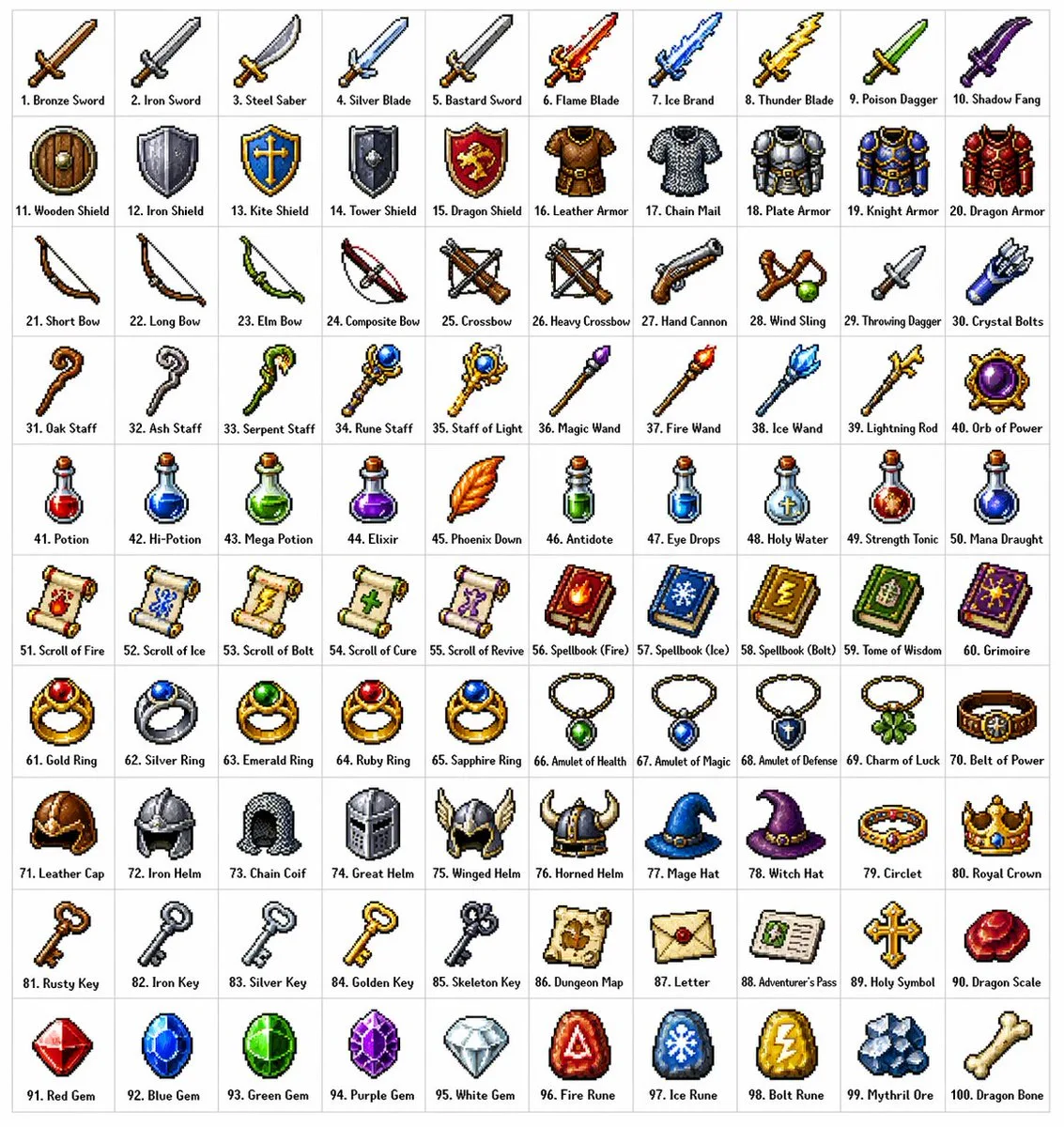
클릭하여 전체 이미지 보기 · 원본 사례 참조용
사례 출처
@ProperPrompter ↗ · 사례 #186
원본 사례 내용을 유지합니다. 생성 결과는 모델 버전, 참조 이미지 및 매개변수에 따라 달라질 수 있으며, 본 사이트에서 개별 검증을 진행하지 않아 동일한 결과의 재현을 보장하지 않습니다.
브랜드 및 로고 / PROMPT #186
브랜드 시각 아이덴티티 디자인
먼저 이미지를 확인한 뒤 원본 프롬프트를 복사하세요. 치환 문구가 있는 경우 아래에서 원하는 내용으로 변경할 수 있습니다.
01 / 나만의 버전 설정
02 / 전체 프롬프트 · 원문
[中文]
创建一个包含100种不同奇幻RPG物品的10×10网格,以经典像素艺术风格渲染(16位或32位精灵图美学,让人联想到SNES/GBA时代的日式RPG)。每个物品应出现在其独立的方形瓷砖中,下方带有简短清晰的标签。在白色背景上保持网格整洁。使每个物品在视觉上都有所区分,并且每个标签拼写正确。使用清晰的像素边缘、每个精灵图有限的调色板,以及用于阴影的微妙抖动。
使用这些行主题:
第1行:剑与刀刃
第2行:盾牌与盔甲
第3行:弓、弩与远程武器
第4行:法杖、魔杖与魔法焦点
第5行:药水、灵药与烧瓶
第6行:卷轴、典籍与法术书
第7行:戒指、护身符与附魔小饰品
第8行:头盔、王冠与头饰
第9行:钥匙、遗物与任务物品
第10行:宝石、符文与制作材料
将每个瓷砖显示为干净背景方形上居中的物品精灵图,渲染为经典的库存图标——你在奇幻RPG菜单中会看到的那种。保持整体风格一致、连贯,并让人联想到备受喜爱的复古奇幻RPG——迷人、细节丰富,且在小尺寸下易于辨认。

[English]
Create a 10 × 10 grid of 100 different fantasy RPG items rendered in classic pixel art style (16-bit or 32-bit sprite aesthetic, reminiscent of SNES/GBA-era JRPGs). Each item should appear in its own square tile with a short clear label underneath. Keep the grid neat on a white background. Make every item visually distinct and every label correctly spelled. Use crisp pixel edges, limited palette per sprite, and subtle dithering for shading.
Use these row themes:
Row 1: swords and blades
Row 2: shields and armor
Row 3: bows, crossbows, and ranged weapons
Row 4: staves, wands, and magical foci
Row 5: potions, elixirs, and flasks
Row 6: scrolls, tomes, and spellbooks
Row 7: rings, amulets, and enchanted trinkets
Row 8: helmets, crowns, and headgear
Row 9: keys, relics, and quest items
Row 10: gems, runes, and crafting materials
Show each tile as a centered item sprite on a clean background square, rendered as a classic inventory icon — the kind you'd see in a fantasy RPG menu. Keep the overall style consistent, cohesive, and reminiscent of beloved retro fantasy RPGs — charming, detailed, and instantly readable at small sizes.
사용하시는 이미지 생성 도구에 붙여넣어 사용하세요. 본 사이트는 프롬프트 탐색 및 편집 기능만 제공하며 직접 이미지를 생성하지 않습니다.
03 / 생성 전 체크리스트
- 치환 문구를 구체적인 내용으로 바꾸고, 참조 이미지가 필요한지 확인하세요.
- 텍스트가 포함된 경우 원하는 문구를 명확히 지정하고, 생성 후 글자를 꼼꼼히 확인하세요.
- 효과를 쉽게 비교할 수 있도록 피사체, 조명, 구도 중 한 번에 하나씩만 수정하세요.
관련 영감 더 둘러보기
더 많은 브랜드 및 로고 사례