
클릭하여 전체 이미지 보기 · 원본 사례 참조용
사례 출처
@Gc_qube ↗ · 사례 #143
원본 사례 내용을 유지합니다. 생성 결과는 모델 버전, 참조 이미지 및 매개변수에 따라 달라질 수 있으며, 본 사이트에서 개별 검증을 진행하지 않아 동일한 결과의 재현을 보장하지 않습니다.
실사 사진 / PROMPT #143
브랜드 로고 디자인 · #143
먼저 이미지를 확인한 뒤 원본 프롬프트를 복사하세요. 치환 문구가 있는 경우 아래에서 원하는 내용으로 변경할 수 있습니다.
01 / 나만의 버전 설정
이 사례에는 명시적인 치환 문구가 없습니다. 복사 후 피사체, 색상, 텍스트, 비율을 직접 수정해 보세요.
02 / 전체 프롬프트 · 원문
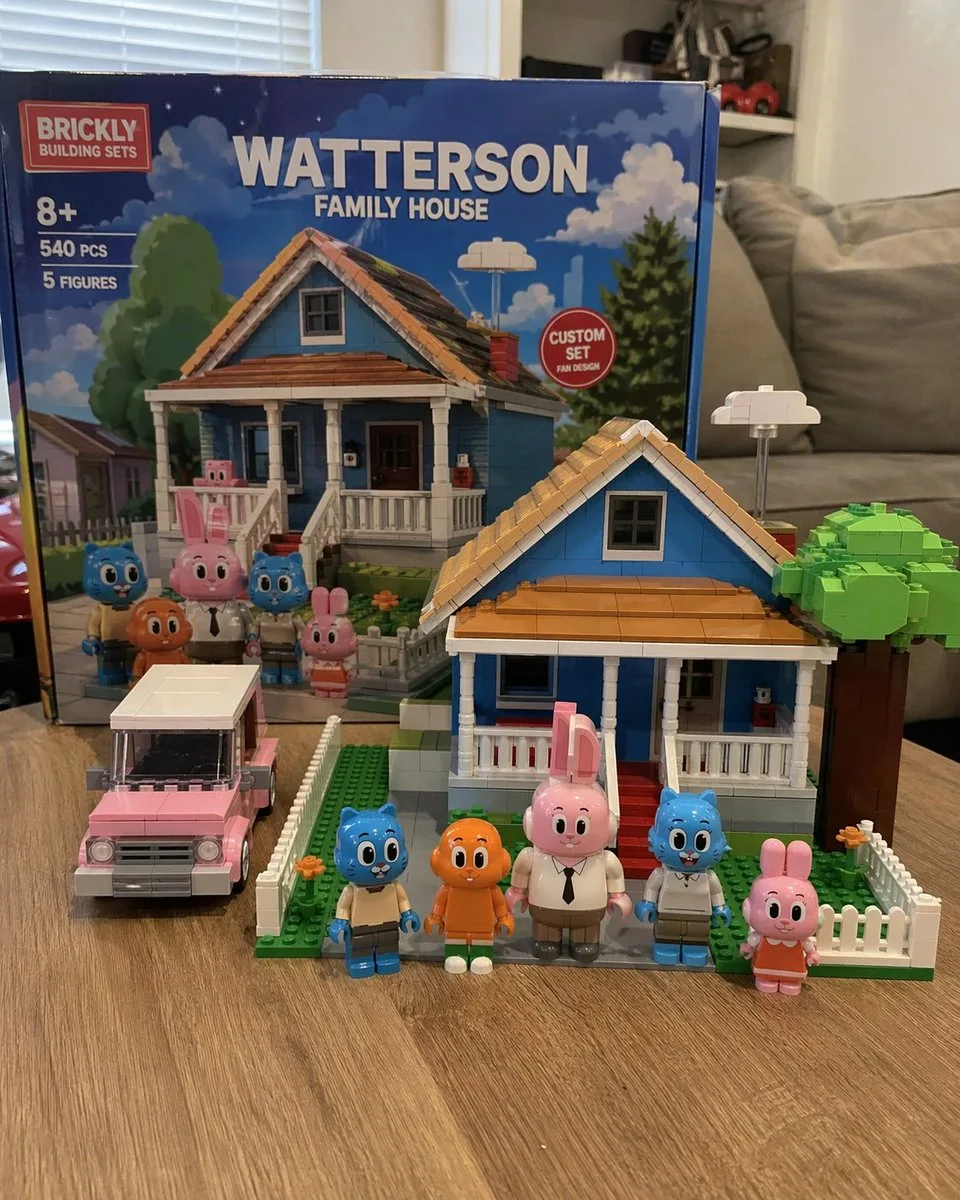
A photorealistic amateur photograph of a custom building block set resting on a light wood grain table in a living room. In the background stands a large product box with a red logo reading "{argument name="brand name" default="BRICKLY"} BUILDING SETS". The box features text reading "8+", "540 PCS", "5 FIGURES", and the main large title "{argument name="set title" default="WATTERSON FAMILY HOUSE"}". A red circular badge on the box reads "CUSTOM SET FAN DESIGN", and the box art depicts the house and characters under a blue sky. In the foreground sits the fully assembled block model of a {argument name="house color" default="blue"} two-story suburban house with a brown roof, white porch, red steps, a white picket fence, and a blocky green tree. To the left of the house is a built block model of a {argument name="car color" default="pink"} station wagon. Standing in a row in front of the house are exactly 5 custom block minifigures: a blue cat in tan pants, an orange fish with legs, a tall pink rabbit in a white shirt and tie, a blue cat in a white shirt, and a small pink rabbit in an orange dress. The background is a slightly blurred living room with a grey sofa and white blinds.사용하시는 이미지 생성 도구에 붙여넣어 사용하세요. 본 사이트는 프롬프트 탐색 및 편집 기능만 제공하며 직접 이미지를 생성하지 않습니다.
03 / 생성 전 체크리스트
- 치환 문구를 구체적인 내용으로 바꾸고, 참조 이미지가 필요한지 확인하세요.
- 텍스트가 포함된 경우 원하는 문구를 명확히 지정하고, 생성 후 글자를 꼼꼼히 확인하세요.
- 효과를 쉽게 비교할 수 있도록 피사체, 조명, 구도 중 한 번에 하나씩만 수정하세요.
관련 영감 더 둘러보기
더 많은 실사 사진 사례