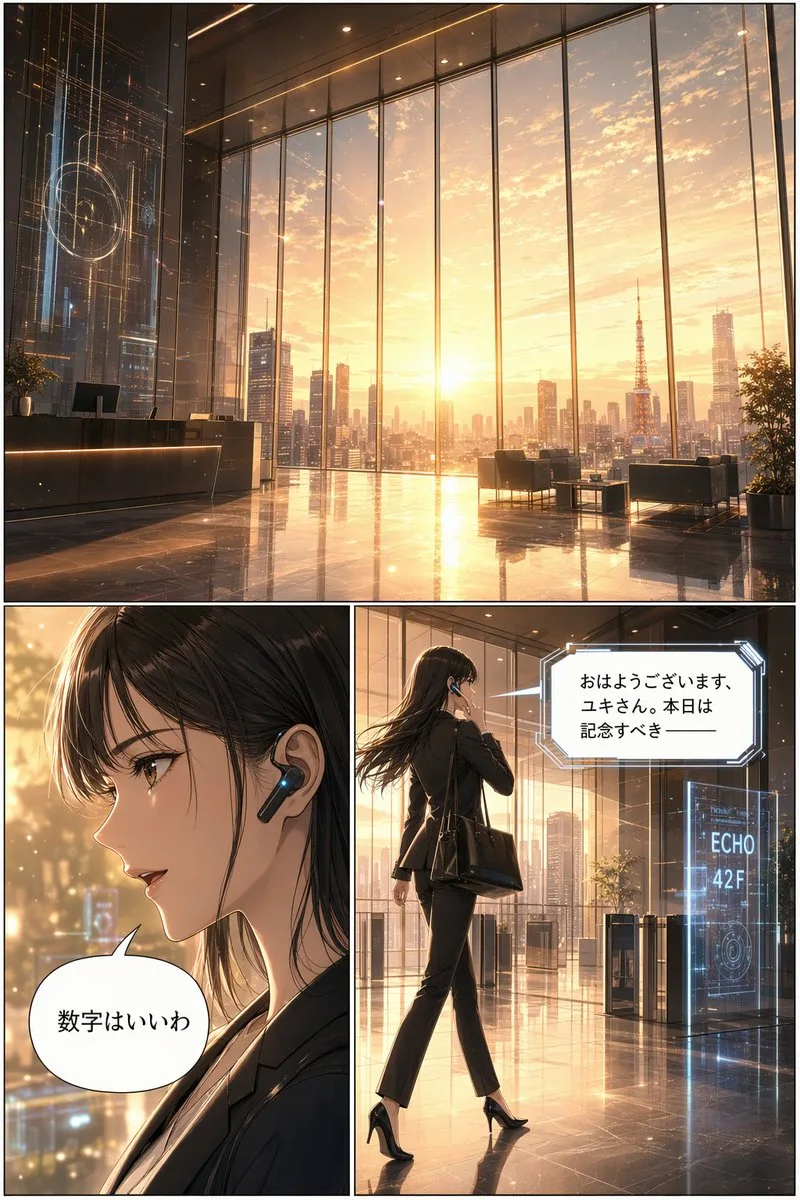
클릭하여 전체 이미지 보기 · 원본 사례 참조용
사례 출처
@loilokoji ↗ · 사례 #121
원본 사례 내용을 유지합니다. 생성 결과는 모델 버전, 참조 이미지 및 매개변수에 따라 달라질 수 있으며, 본 사이트에서 개별 검증을 진행하지 않아 동일한 결과의 재현을 보장하지 않습니다.
일러스트 및 아트 / PROMPT #121
건축 공간 씬 디자인 · #121
먼저 이미지를 확인한 뒤 원본 프롬프트를 복사하세요. 치환 문구가 있는 경우 아래에서 원하는 내용으로 변경할 수 있습니다.
01 / 나만의 버전 설정
이 사례에는 명시적인 치환 문구가 없습니다. 복사 후 피사체, 색상, 텍스트, 비율을 직접 수정해 보세요.
02 / 전체 프롬프트 · 원문
{
  "type": "3-panel manga page",
  "style": "anime, highly detailed, cinematic lighting, futuristic corporate",
  "layout": {
    "structure": "1 wide top panel, 2 square bottom panels"
  },
  "panels": [
    {
      "position": "top",
      "shot": "wide landscape",
      "scene": "Futuristic corporate lobby with floor-to-ceiling windows",
      "lighting": "{argument name=\"time of day\" default=\"sunrise\"}",
      "background": "City skyline featuring {argument name=\"landmark\" default=\"Tokyo Tower\"}",
      "details": "Holographic displays, polished reflective floor, reception desk, lounge chairs"
    },
    {
      "position": "bottom left",
      "shot": "close-up profile",
      "character": "Young woman, dark hair, black business suit",
      "accessories": "Futuristic black earpiece with glowing blue light",
      "speech_bubble": {
        "style": "standard rounded",
        "text": "{argument name=\"character dialogue\" default=\"数字はいいわ\"}"
      }
    },
    {
      "position": "bottom right",
      "shot": "full body, walking away, touching earpiece",
      "character": "Same woman, black suit, black heels, carrying a black tote bag",
      "environment": "Approaching security gates",
      "holographic_sign": "{argument name=\"floor sign\" default=\"ECHO 42F\"}",
      "speech_bubble": {
        "style": "futuristic angular",
        "text": "{argument name=\"AI dialogue\" default=\"おはようございます、ユキさん。本日は記念すべき ──\"}"
      }
    }
  ]
}사용하시는 이미지 생성 도구에 붙여넣어 사용하세요. 본 사이트는 프롬프트 탐색 및 편집 기능만 제공하며 직접 이미지를 생성하지 않습니다.
03 / 생성 전 체크리스트
- 치환 문구를 구체적인 내용으로 바꾸고, 참조 이미지가 필요한지 확인하세요.
- 텍스트가 포함된 경우 원하는 문구를 명확히 지정하고, 생성 후 글자를 꼼꼼히 확인하세요.
- 효과를 쉽게 비교할 수 있도록 피사체, 조명, 구도 중 한 번에 하나씩만 수정하세요.
관련 영감 더 둘러보기
더 많은 일러스트 및 아트 사례