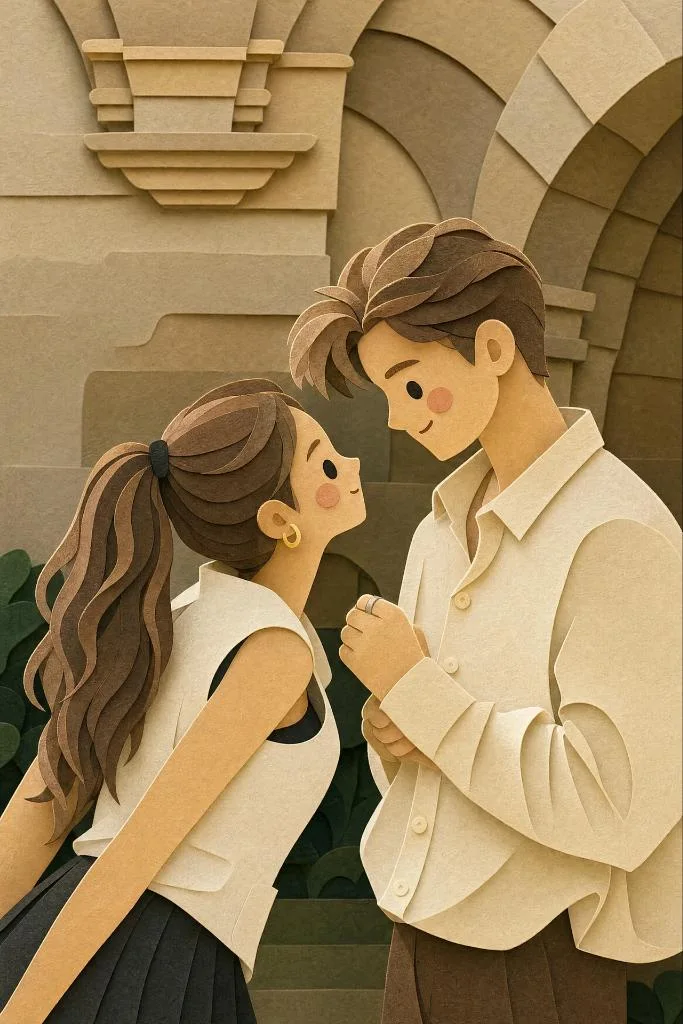
クリックで拡大表示 · 作例の参考イメージ
作例の出典
@Just_sharon7 ↗ · 作例 #435
オリジナルの作例内容を保持しています。生成結果はモデルのバージョン、参照画像、パラメータによって左右されます。本サイトでは個別の完全な再現を保証するものではありません。
イラスト・アート / PROMPT #435
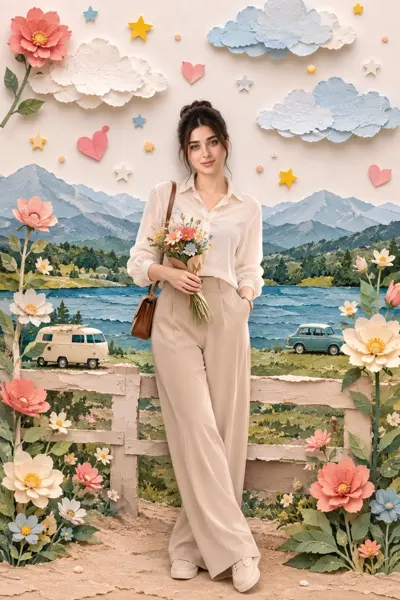
立体切り絵のカップルイラスト
画像を確認してからプロンプトをコピーしてください。プレースホルダーがある場合は、下部で内容を書き換えることができます。
01 / カスタマイズ
この作例には自動検出されたプレースホルダーはありません。コピー後、被写体・配色・テキスト・比率などを適宜変更してください。
02 / プロンプト全文 · 原文
{
  "style": "layered paper-cut illustration, papercraft diorama, handcrafted aesthetic",
  "technique": {
    "layering": "multiple stacked paper layers with soft drop shadows between each layer",
    "depth": "5–7 visible depth planes from foreground to background",
    "edges": "smooth, rounded, slightly beveled paper-cut edges",
    "texture": "subtle paper grain and fibrous texture on all surfaces",
    "shadows": "soft, diffused inner shadows beneath each layer suggesting physical depth"
  },
  "character_design": {
    "proportions": "chibi / cute simplified — large round head, small body (1:1.5 ratio)",
    "face": {
      "eyes": "small dot eyes, glossy highlight",
      "cheeks": "soft circular rosy blush patches",
      "nose": "absent or minimal dot",
      "mouth": "simple small curve smile"
    },
    "limbs": "short, rounded, stubby limbs",
    "outline": "clean smooth silhouette, no sharp corners"
  },
  "color_palette": {
    "mood": "warm, cozy, pastel",
    "tones": ["soft cream", "dusty rose", "sage green", "warm peach", "sky blue", "honey yellow"],
    "saturation": "low-to-medium, muted and gentle",
    "background": "warm off-white or soft gradient"
  },
  "lighting": {
    "type": "soft ambient light from top-front",
    "highlights": "gentle white edge highlights on top layers",
    "shadows": "warm light tan/beige shadow tones beneath cut layers"
  },
  "environment": {
    "foliage": "simplified rounded leaf and floral shapes as separate paper layers",
    "ground": "curved horizon layers suggesting rolling hills",
    "details": "tiny decorative elements — stars, small hearts, dots — cut from paper"
  },
  "overall_mood": "warm, whimsical, cozy, handmade, storybook",
  "render_quality": "ultra-detailed papercraft art, studio photography lighting, sharp focus on layer edges"
}お使いの画像生成ツールに貼り付けてご使用ください。本サイトはプロンプトの閲覧・編集ツールであり、画像の直接生成は行いません。
03 / 生成前のチェック
- プレースホルダーを具体的な内容に置き換え、参照画像が必要か確認します。
- 文字を含む場合はテキストを確定し、生成後に一文字ずつ確認します。
- 被写体、光、構図は一度に一箇所ずつ調整すると、効果を比較しやすくなります。
関連するインスピレーション
イラスト・アートの他の作例