Klicken für Vollbild · Referenz des Originalbeispiels
Quelle des Beispiels
@AmberPromptai ↗ · Beispiel #157
Originalinhalt beibehalten. Ergebnisse variieren je nach Modellversion, Referenzbildern und Parametern. Keine Garantie für identische Reproduktion.
Produkte & E-Commerce / PROMPT #157
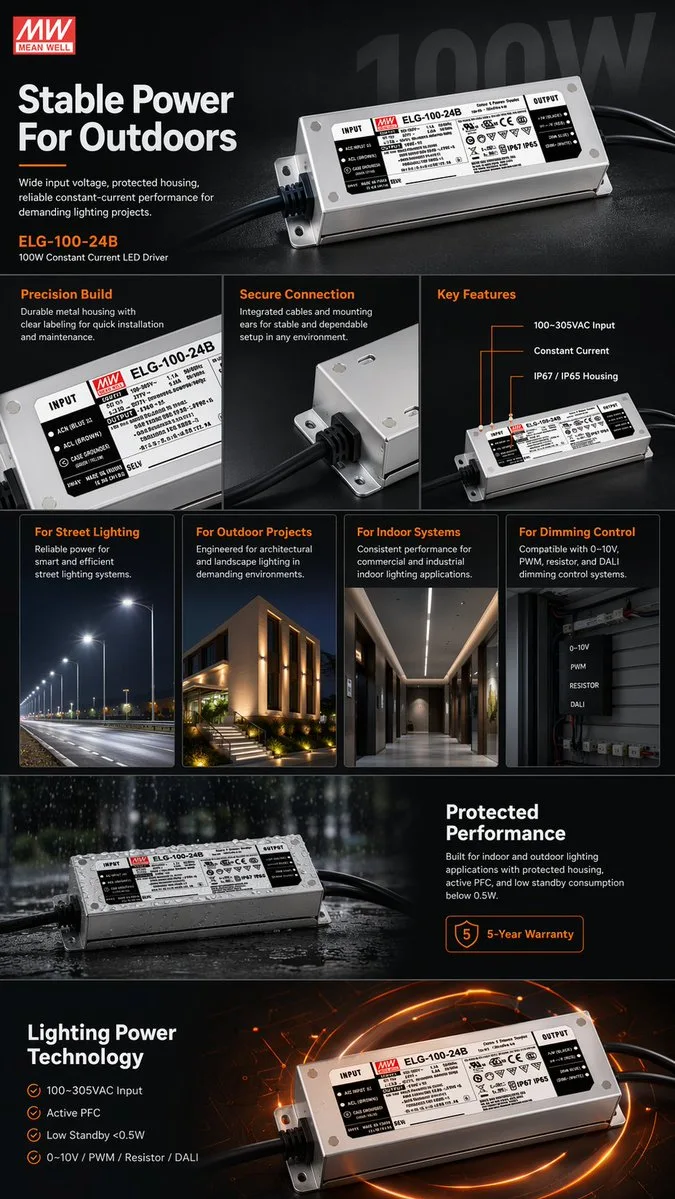
E-Commerce-Produktpräsentationsdesign · #157
Erst das Bild ansehen, dann den Original-Prompt kopieren; Platzhalter unten nach Wunsch anpassen.
01 / Eigene Version anpassen
Keine eindeutigen Platzhalter erkannt. Nach dem Kopieren können Motiv, Farben, Bildtext und Seitenverhältnis angepasst werden.
02 / Vollständiger Prompt · Original
{
  "type": "e-commerce product infographic",
  "theme": "dark mode with {argument name=\"accent color\" default=\"orange\"} accents",
  "product": {
    "brand": "{argument name=\"brand name\" default=\"MEAN WELL\"}",
    "model": "{argument name=\"product model\" default=\"ELG-100-24B\"}",
    "description": "100W Constant Current LED Driver, rectangular silver metal housing with black cables on both ends and detailed specification label"
  },
  "layout": {
    "sections": [
      {
        "name": "Hero Section",
        "elements": [
          "Brand logo top left",
          "Headline: '{argument name=\"main headline\" default=\"Stable Power For Outdoors\"}'",
          "Subtext: Wide input voltage, protected housing...",
          "Large angled product shot",
          "Faded '100W' watermark in background"
        ]
      },
      {
        "name": "Feature Highlights",
        "count": 3,
        "panels": [
          { "title": "Precision Build", "visual": "Close-up of the specification label" },
          { "title": "Secure Connection", "visual": "Close-up of the cable entry and mounting ear" },
          { "title": "Key Features", "visual": "Angled product shot with 3 callout lines pointing to text: '100~305VAC Input', 'Constant Current', 'IP67 / IP65 Housing'" }
        ]
      },
      {
        "name": "Applications",
        "count": 4,
        "panels": [
          { "title": "For Street Lighting", "visual": "Nighttime highway illuminated by streetlights" },
          { "title": "For Outdoor Projects", "visual": "Modern building exterior with architectural landscape lighting" },
          { "title": "For Indoor Systems", "visual": "Modern commercial hallway with linear ceiling lights" },
          { "title": "For Dimming Control", "visual": "Electrical control box with 4 labels: '0-10V', 'PWM', 'RESISTOR', 'DALI'" }
        ]
      },
      {
        "name": "Environmental Protection",
        "elements": [
          "Product resting on a wet surface with water droplets and rain effect",
          "Headline: 'Protected Performance'",
          "Description text about indoor/outdoor use and active PFC",
          "Badge: '{argument name=\"warranty years\" default=\"5\"}-Year Warranty'"
        ]
      },
      {
        "name": "Technical Specifications",
        "elements": [
          "Headline: 'Lighting Power Technology'",
          "4 checkmark bullet points: '100~305VAC Input', 'Active PFC', 'Low Standby <0.5W', '0~10V / PWM / Resistor / DALI'",
          "Product shot glowing on a high-tech circuit board background"
        ]
      }
    ]
  }
}In dein bevorzugtes Bildgenerierungstool kopieren; Prompt Atelier dient zum Entdecken und Anpassen, nicht zum direkten Generieren.
03 / Vor dem Generieren prüfen
- Platzhalter durch konkrete Inhalte ersetzen und prüfen, ob ein Referenzbild erforderlich ist.
- Textinhalte vorab genau definieren und nach der Generierung Buchstabe für Buchstabe prüfen.
- Jeweils nur Motiv, Licht oder Bildaufbau ändern, um Ergebnisse gezielt vergleichen zu können.
Ähnliche Inspirationen entdecken
Mehr Produkte & E-Commerce-Beispiele
Produkte & E-Commerce
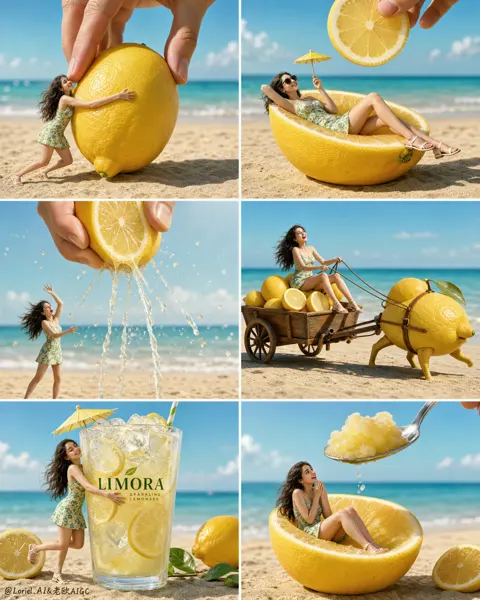
6-Raster-Miniaturwerbung für Zitronengetränk
Vollständigen Prompt anzeigen ↗#532